Show your team exactly what to build, right in Jira
Trusted by top teams








Messy Jira tickets wreck your progress
Text-heavy tickets leave everyone guessing. PMs over‑explain, developers miss details, and sprints stall. Misalignment doesn't just waste time and money, it wastes trust. And the all‑in‑one design tools are too bloated to help.
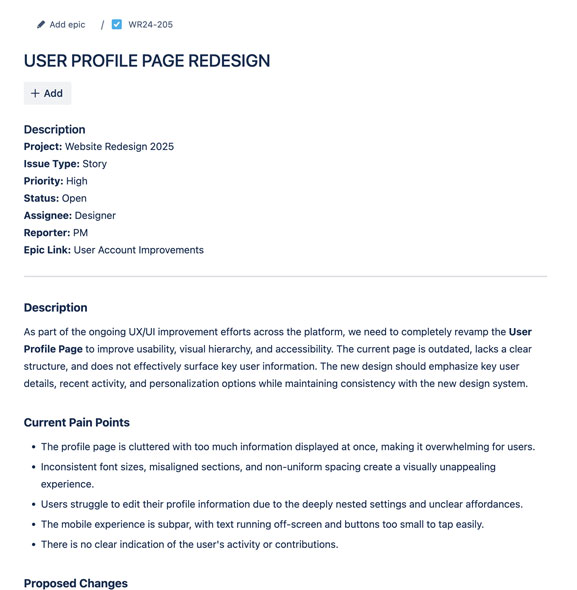
A text-heavy mess
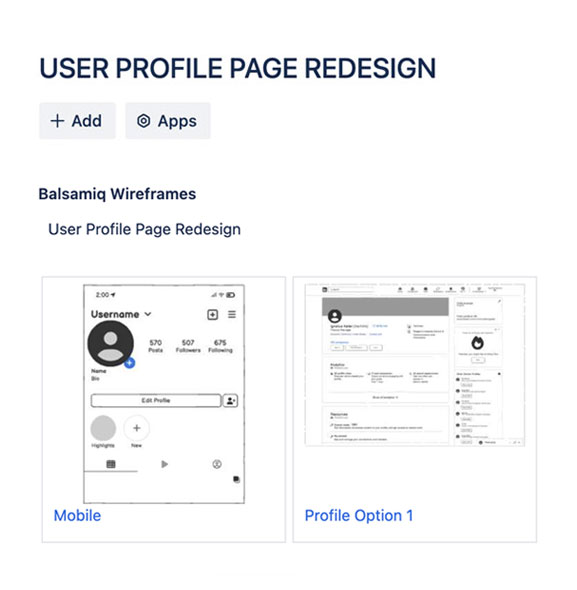
With Balsamiq for Jira
The best products start with Balsamiq for Jira
Turn the ticket you're already writing into something PMs, devs, and stakeholders can see, click through, and agree on.
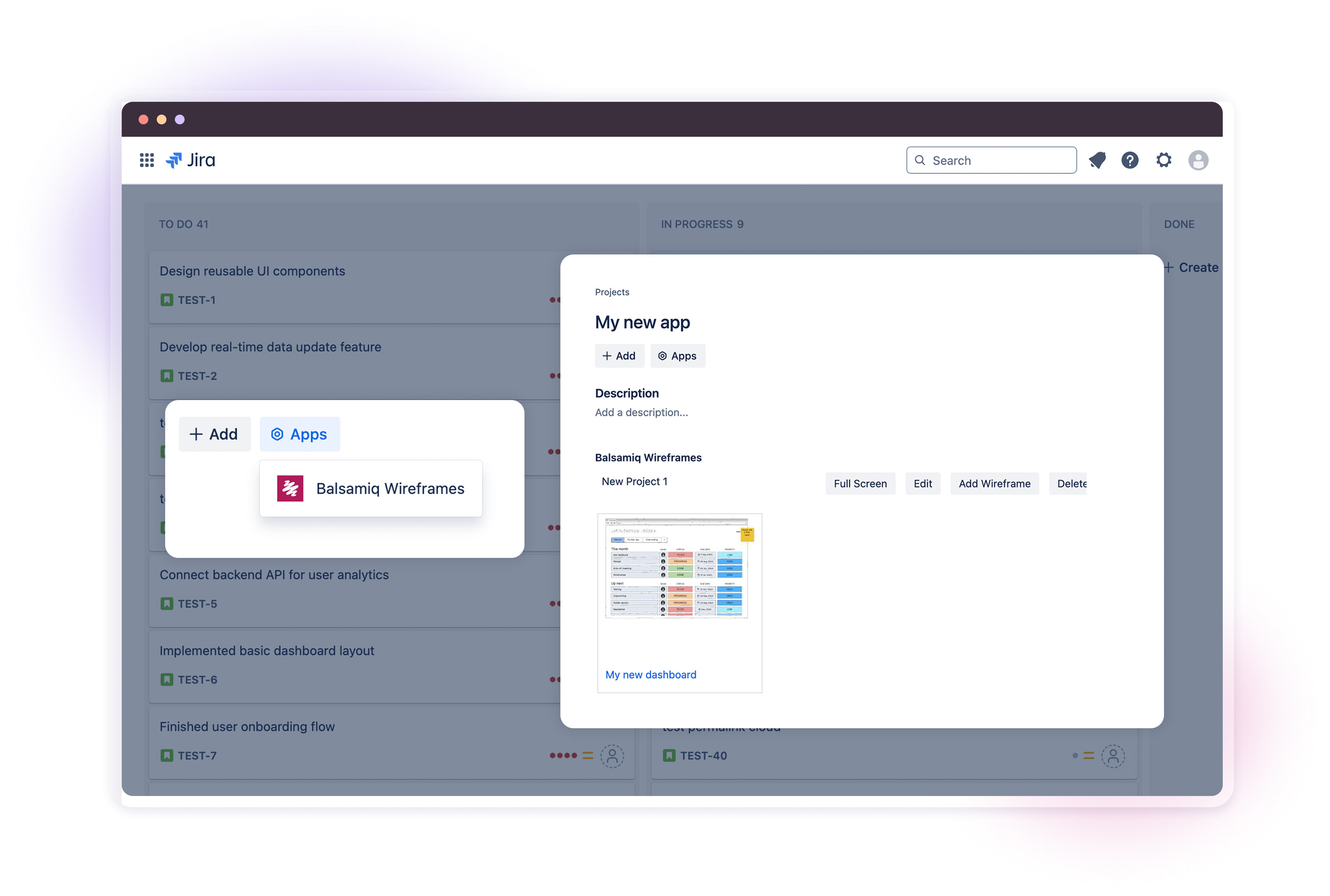
Turn tickets into a shared picture
Embed an editable Balsamiq board right in the issue. PMs, devs, and stakeholders see the same thing instead of reading the same paragraph three different ways, without getting stuck on details that can wait.

Make it clickable before anyone builds
Link your screens into a prototype right on the issue. The team clicks through the real flow instead of imagining it from acceptance criteria, so you find out what works before a story hits the sprint.

Let Balsamiq AI draft the first version
Describe the screen or drop in a screenshot and Balsamiq AI sketches the wireframe for you, so you skip the blank board and start reacting to something real. You still make every call.

PMs and devs, finally speaking the same language
PMs sketch the vision, devs fill in the details, and everyone builds from the same picture. From a customer‑facing feature to the internal tool no one else will ever see, if it has a screen, you can think it through here first.

Also included
Teams that wireframe and prototype work smarter
Anyone can wireframe in minutes. PMs, engineers, founders, even the big‑picture execs.
Misalignment surfaces in a wireframe review, not three sprints into the build.
Stakeholders get it at a glance. Faster sign‑off means less waiting and more shipping.
Whatever you're building, this is where it starts
Browse real wireframes and prototypes across web, mobile, internal tools, and desktop, in just about every industry. Find one close to your idea and make it your own.

New or existing
Start from a blank board for a fresh idea, or wireframe the next flow on top of a product that's already shipping.

Product or internal
The app your customers use, or the dashboard, admin panel, and back‑office tool your own team relies on.

See it in action
Browse real wireframes and prototypes from teams like yours, then make one your own.
FAQs
Do I need design experience to use Balsamiq for Jira?
Nope. Balsamiq is built for busy product folks, not designers. PMs, engineers, founders, IT leads, and analysts can all create clear wireframes and clickable prototypes without any design expertise, and Balsamiq AI, the component library, and Balsamiq Academy handle the rest.
Is Balsamiq a good fit for agile teams?
100%. Balsamiq helps agile teams ship faster and kill the endless back‑and‑forth. Drop a wireframe or clickable prototype on the story so everyone agrees on what to build before it enters the sprint.
Can I use Balsamiq within my existing Jira workflow?
Yes. Embed editable wireframes and prototypes straight into your Jira issues, on both Cloud and Data Center, so tickets actually show what you mean. No more guessing games, and nothing to leave Jira for.
Can Balsamiq be used for more than just new feature design?
Definitely. Teams wireframe and prototype MVPs, process documentation, product decisions, stakeholder alignment, training materials, and more. Our rule of thumb: if it needs clarity, wireframe it.
How is Balsamiq different from design tools like Figma, Whimsical, or Miro?
Balsamiq is for fast, low‑fi wireframes and clickable prototypes, not high‑fidelity design or endless brainstorming. Figma is for polished UI, Whimsical tries to be everything, and Miro is a blank canvas. For lean teams they can be bloated and distracting. Balsamiq keeps you focused so you can stop overthinking and start shipping.
